How an expired pricing plan affects your chatbots
A pricing plan expires when SendPulse can’t renew it on the scheduled date. This can happen if your account balance is too low or your payment fails. Your account stays on this plan, but your chatbots run with limited features until you renew it.
Suppose your online store's chatbot builder plan expires, and customers stop receiving replies. Once you renew the plan, you can manually run the delivery reminder flow for customers who missed it.
Let's talk about how to see what changes when your plan expires, restart interrupted flows, reactivate your chatbots, and prevent deactivation and deletion.
See what changes when your plan expires
Restrictions take effect immediately after your plan’s end date. There is no grace period. This applies to all chatbot channels, including Facebook, Instagram, WhatsApp, TikTok, live chat, SMS, email, Telegram, and Viber.
Subscribers can still message your chatbots, but flows don’t start, and campaigns aren’t sent. You also can’t reply to messages in Chats.
When your plan expires, SendPulse sends you an email. Your account also shows that the plan has expired:
- In the sidebar, your plan is labeled Expired and shows the Renew plan link.
- On the Dashboard, the Expired status appears along with your plan’s end date.
- On your chatbot's page, the Paused label appears next to its name. Hover over it to see which features are limited.
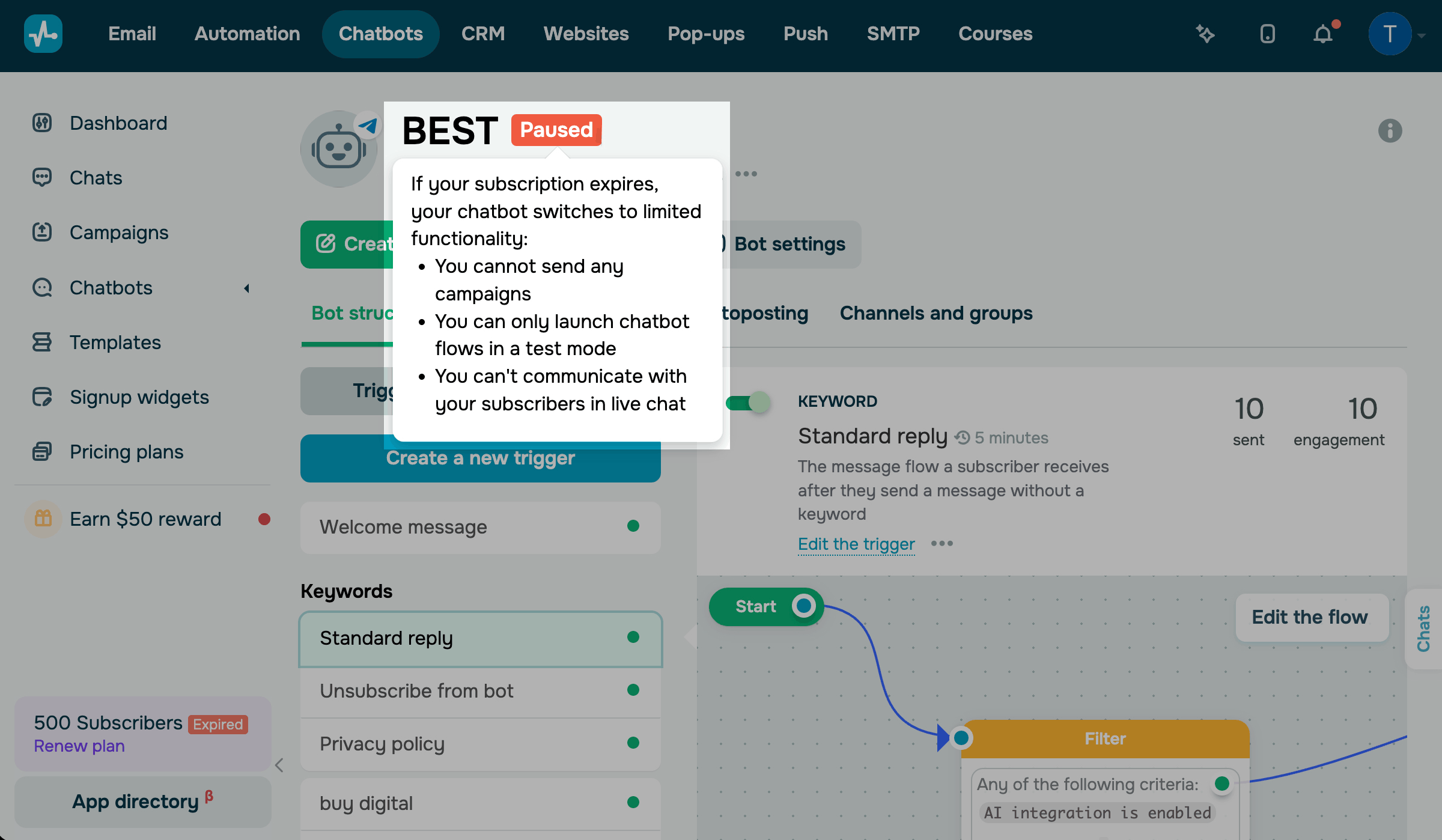
Here's what happens to chatbot builder features when your plan expires:
| Flows with triggers | These flows don’t start for subscribers. You can only run them for yourself in test mode. |
| Campaigns | SendPulse stops sending campaigns, including scheduled ones. You can’t create or test campaigns. |
| Autoposting | New items from your RSS feed aren’t sent to subscribers. |
| AI agent | Your AI agent stops replying to subscribers. |
| Subscription widgets | Users can still subscribe to your chatbot, but the welcome flow doesn’t start for them. |
| Payments | Subscribers can still pay, and SendPulse records their payments. However, your post-payment flow doesn’t start. |
| Facebook and Instagram comment triggers, voice message transcription | These features stop working. |
| Chats | New messages appear in Chats, but the message field is disabled, so you can’t reply. |
If your plan is active but you exceed its subscriber limit, other rules apply. Your chatbots keep working for three more business days to give you time to upgrade your plan or reduce the number of subscribers. Read more: Calculate the number of your chatbot subscribers.
Restart interrupted flows
Flows that stopped when your plan expired don’t resume automatically after you renew your plan.
Delayed elements work the same way. For example, if an element after a Pause was scheduled to run when your plan expired, SendPulse skips it, and the flow ends for that subscriber.
After you renew your plan, triggers work as usual. If a subscriber messages your chatbot, the matching flow starts for them.
To take subscribers through the rest of the flow, run it manually after you renew your plan.
To run a flow for one subscriber, go to Chats.
To run a flow for selected subscribers, go to the Audience tab.
To run a flow for subscribers who reached a specific element, use the flow preview on the Bot structure tab.
When you run a flow from the Audience tab or the flow preview, you can start it from the element where subscribers stopped. This way, they don’t have to go through the entire flow again.
In Facebook, Instagram, and WhatsApp chatbots, you can launch a flow manually only within the 24-hour support window.
Read more: Launch a chatbot flow manually.
Reactivate your chatbots
SendPulse doesn't move your account to the free Basic plan automatically. Your account stays on the expired paid plan with limited features until you renew the plan or switch to Basic manually.
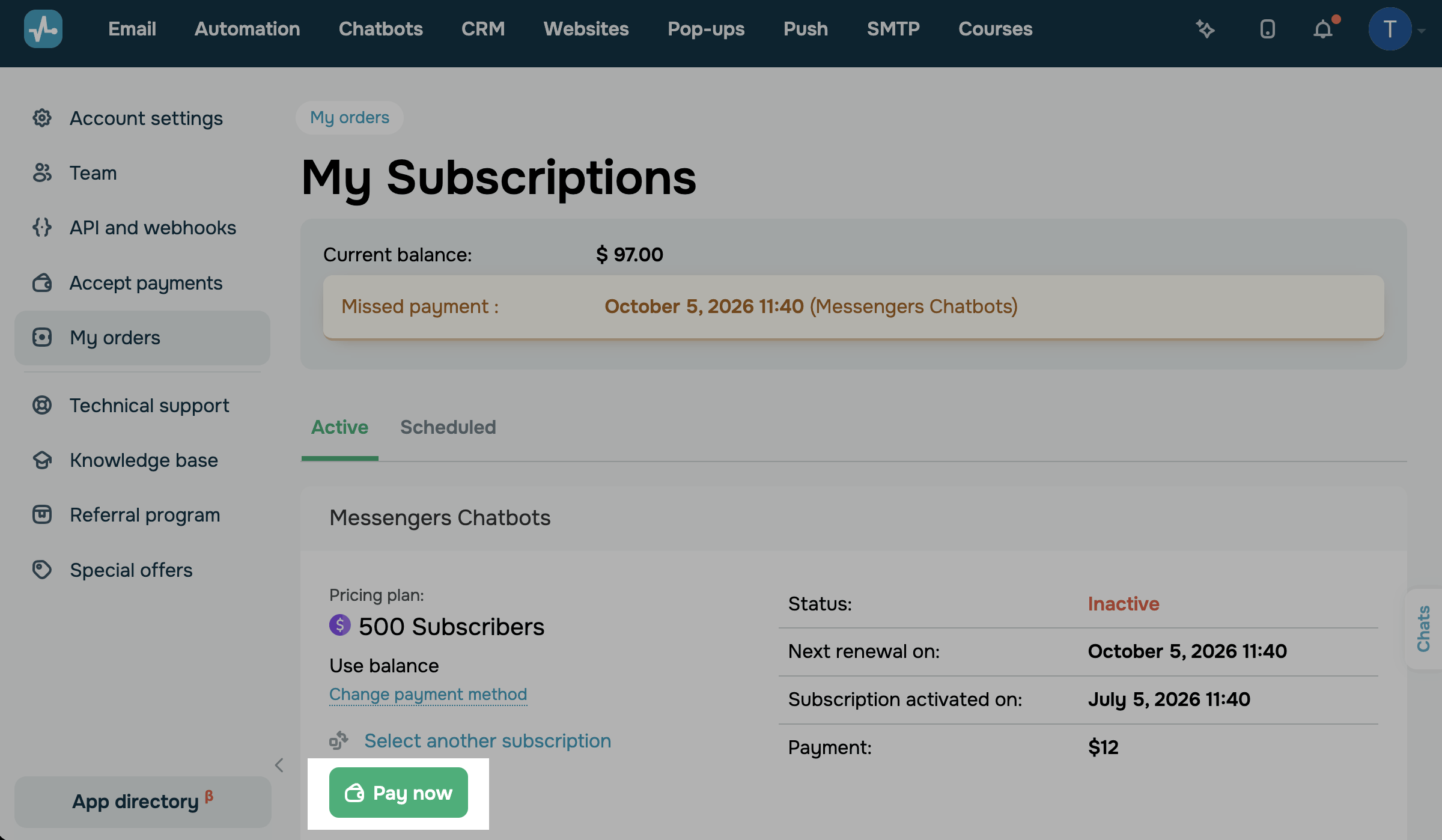
To renew your plan, go to My orders > My subscriptions. In the Messengers Chatbots subscription, click Pay now. If you have enough funds on your balance or payment method, your subscription is renewed right away.
To renew your plan automatically in the future, go to Account settings > Payments. In Renew subscriptions from balance, select Chatbots and turn on the Auto-recharge balance toggle.
Read more: Renew subscriptions automatically using your account balance, Recharge your balance automatically.
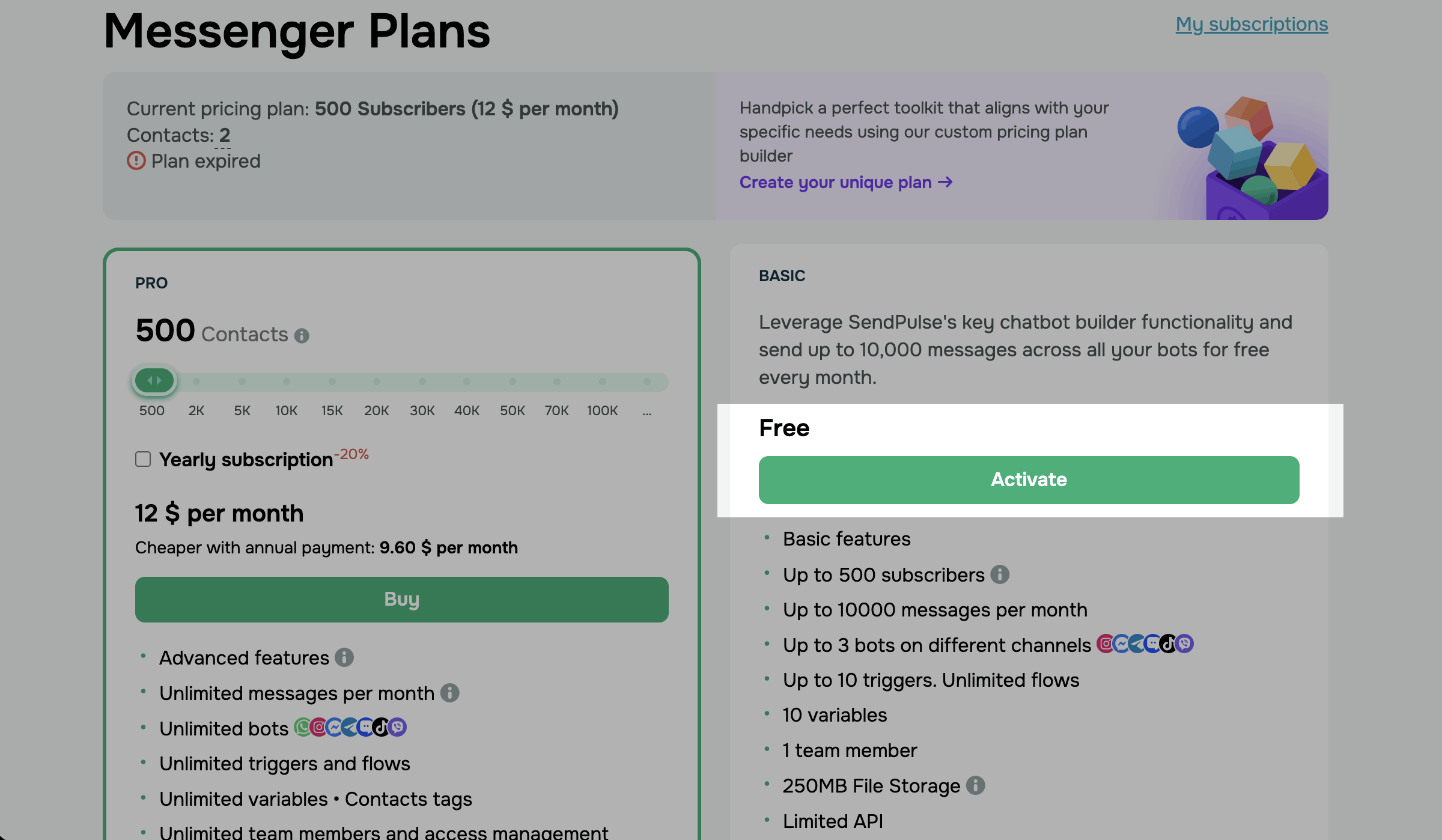
The free Basic plan supports up to 500 subscribers and 3 chatbots. To switch to Basic, make sure your account doesn’t exceed these limits, then go to Pricing plans. In Basic, click Activate.
Read more: Make an overdue plan payment, Pricing plan basics.
Prevent deactivation and deletion
SendPulse deactivates your chatbots if you don’t renew your plan within 30 days after it expires. At this point, your chatbot account becomes inactive.
After 90 days, SendPulse deletes your chatbots with all their data. SendPulse notifies you three days before deletion, one day before, and on the day it happens.
To keep your chatbots active, renew your plan within 30 days after it expires.
To learn how an expired plan affects messaging app elements in automated flows, see How pricing plans affect flow progression.
 Last Updated: 18.10.2026
or