




















Trusted by 200,000 customers. Loved by 6K+ reviewers

ufs rocher dominos jooble viessmann puma samsung lot swatch karcher PWC radisson tata jackwolfskin sofitel

Support scenarios powered by WhatsApp customer service software

See how WhatsApp customer support software helps businesses handle more requests with fewer resources.

Automate replies to speed up support

Automate replies to speed up support

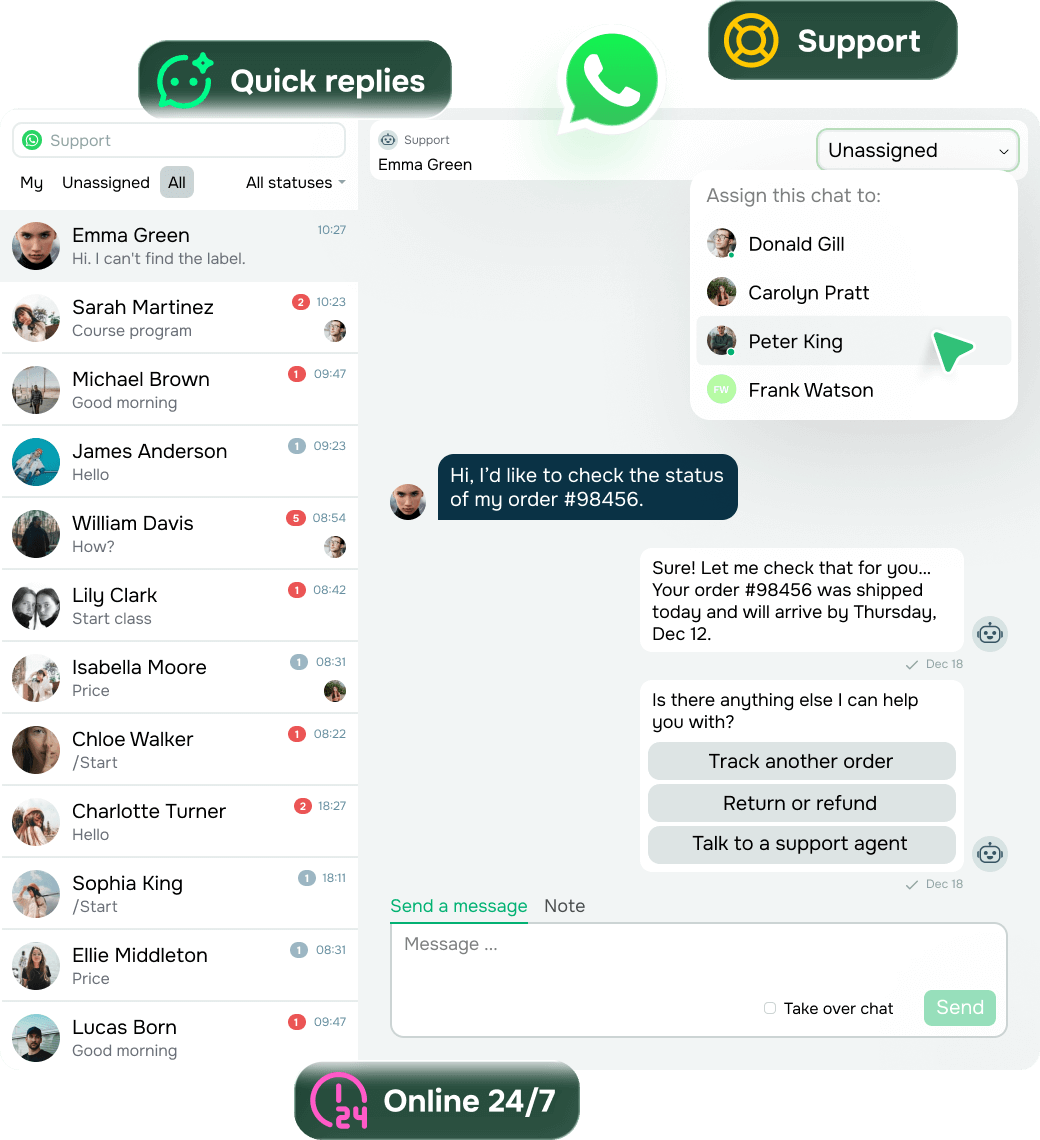
When clients wait too long, frustration builds and loyalty drops.

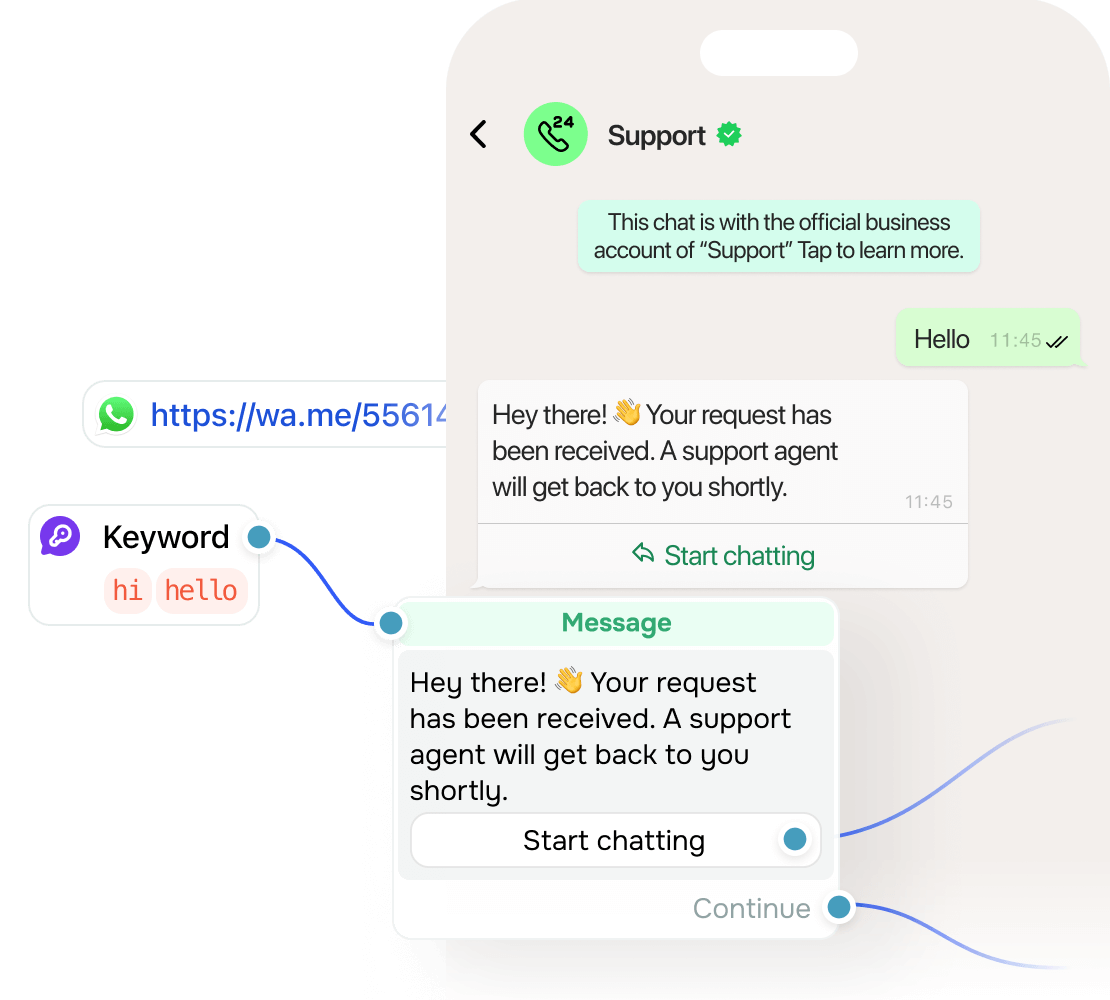
With automated replies in WhatsApp customer support software, you can instantly handle simpler issues. This boosts satisfaction and takes pressure off your team.

Make it easy for clients to reach you through a free WhatsApp link so that they skip the search and get prompt support.

Let AI act before your team steps in

Let AI act before your team steps in

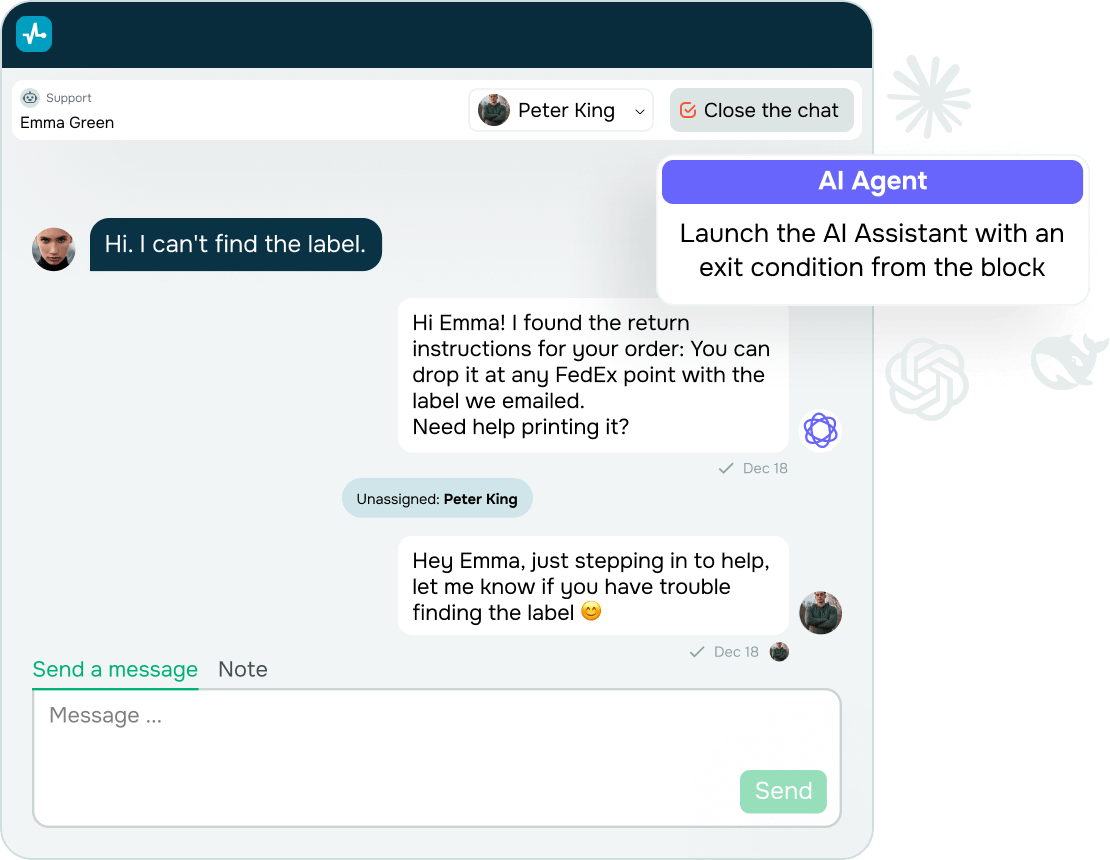
Some requests need more than just a script.

An AI agent in your WhatsApp customer service software understands emotions and context, pulls info from your docs, and works toward the goal on its own.

If needed, your team can jump in and take over instantly.

Work as a team, reply with context

Work as a team, reply with context

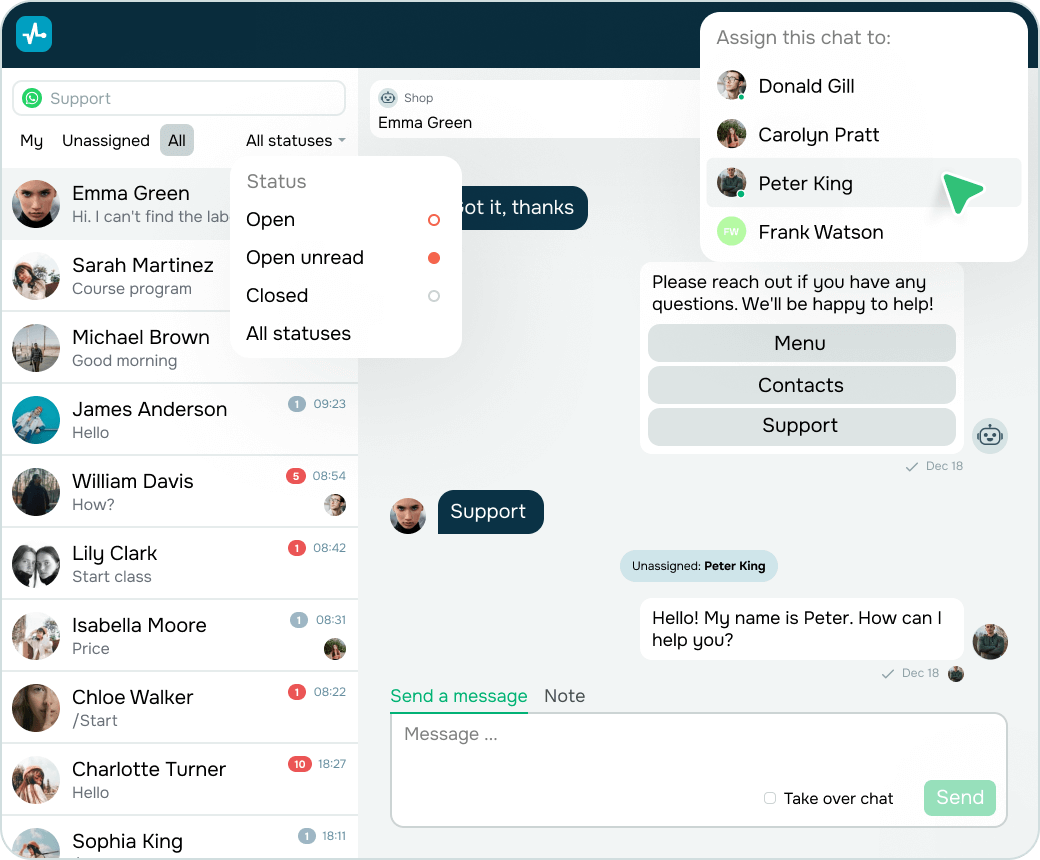
When chats pile up, handovers get messy.

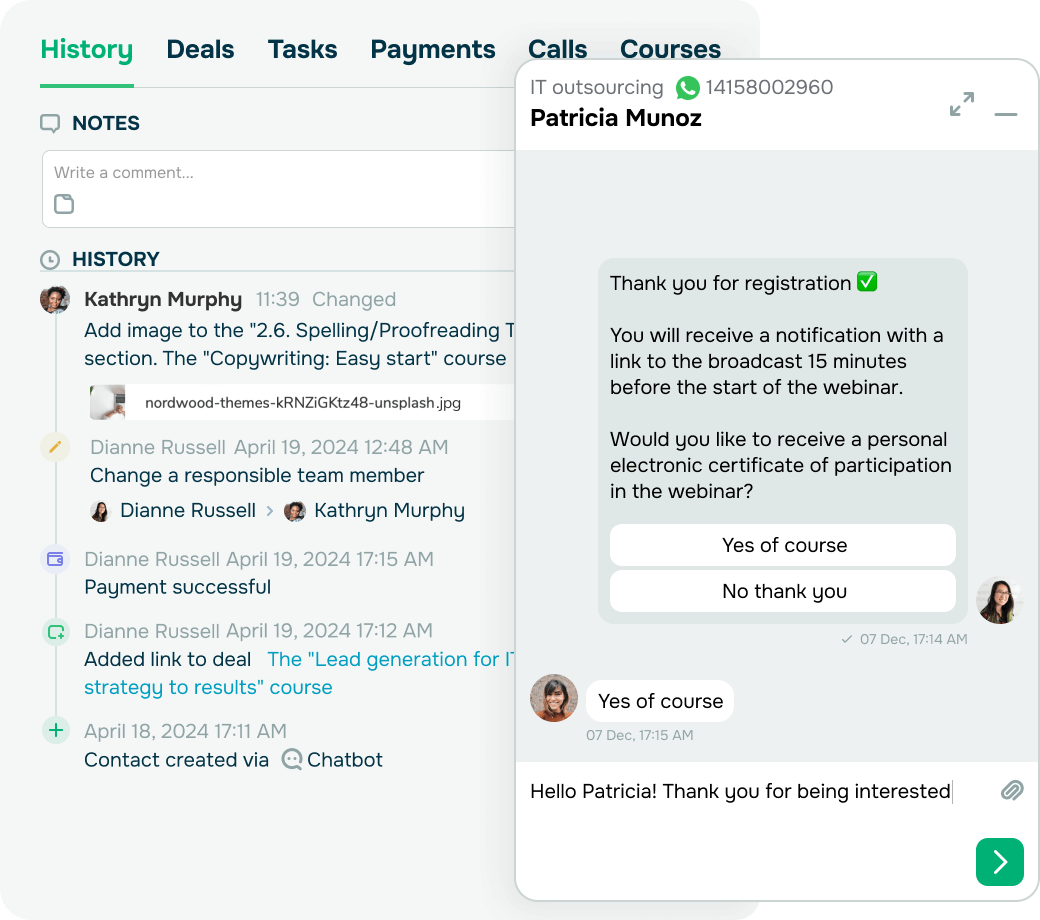
Assign teammates to handle chats, leave internal notes, and pause or resume flows for each subscriber within a shared inbox powered by WhatsApp Business features.

Everyone is in the loop, and nothing slips through.

Turn chats into deals in your CRM system

Turn chats into deals in your CRM system

Leads and requests often get scattered across chats.

SendPulse helps you convert WhatsApp interactions into CRM system deals or contact cards manually or automatically, so you always have the full context and stay on top of every follow-up.

Reach more clients with timely updates

Reach more clients with timely updates

Support goes beyond replies — it requires clear, scalable communication.

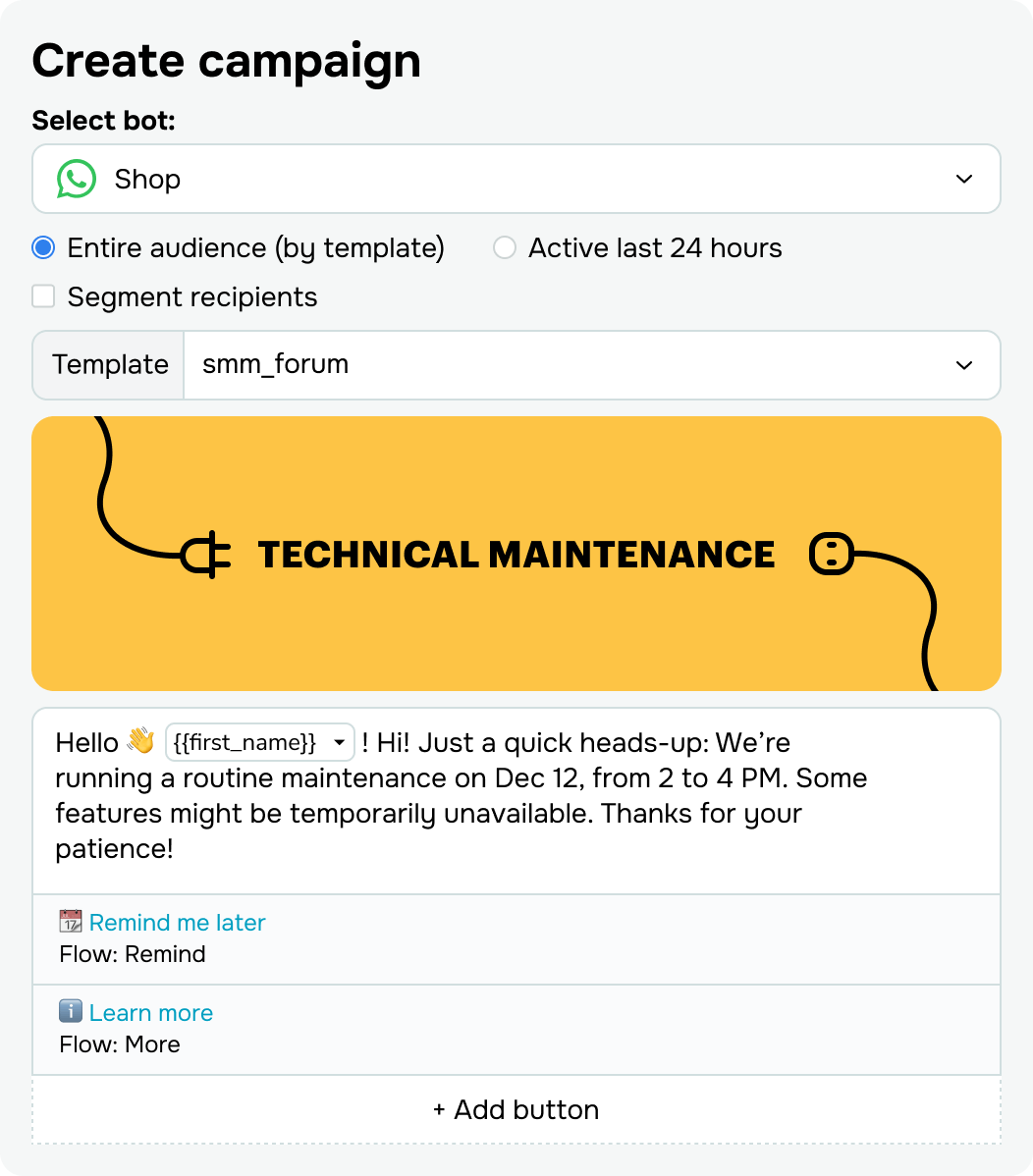
Use WhatsApp campaign tools to share service updates, delivery delays, maintenance notifications, or policy changes, and collect feedback without overwhelming your team.

Place a WhatsApp QR code at key touchpoints to drive conversations from offline to chat.

app

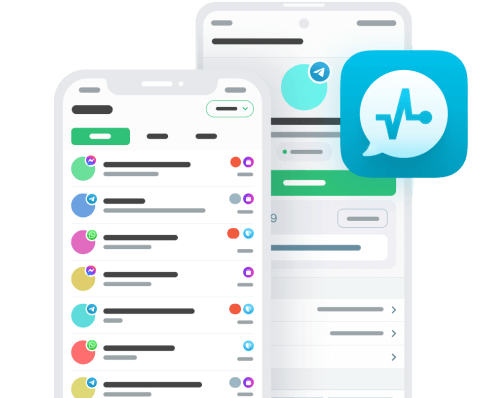
Manage WhatsApp customer service software on the go

Reply to clients faster, keep conversations organized, and track performance right from your phone.

6 ways to use WhatsApp for customer service

WhatsApp customer service can cover much more than quick replies. You can use it to answer common questions, collect feedback, send updates and reminders, explain how your product works, and simplify bookings. Here are six ways to support customers at every stage without making them switch apps.

1. Answer common customer questions

What to do. Use WhatsApp to answer frequently asked questions about your products, services, delivery, payments, and more.

When to use it. Your team gets the same questions over and over, and customers expect a quick, direct answer.

How to set it up:

  • Add answers to your most common questions to your chatbot flow.
  • Review conversations and add new answers when a question starts coming up more often.
  • Give customers a clear way to reach a human support agent when the chatbot cannot resolve the issue.

Example. A bank uses a WhatsApp chatbot to answer questions about online banking, payments, and cards. Customers can also ask for a support agent when they need more help.

2. Collect customer feedback

What to do. Use WhatsApp as a direct channel for post-purchase feedback, reviews, and short customer service surveys.

When to use it. You want to understand how customers felt about a product, service, chatbot conversation, or support interaction.

How to set it up:

  • Ask for feedback after a customer receives your product or service.
  • Send a short survey about the chatbot experience or how helpful a support agent was.
  • Keep the questions easy to answer in chat, for example, with rating buttons.

Example. A travel company sends a feedback request after a customer completes a trip. Customers rate their trip with one tap and can add comments or photos if they want to.

3. Send status updates

What to do. Keep customers informed about orders, deliveries, or other service updates directly in WhatsApp.

When to use it. Customers need timely information about what is happening with an order or request and would otherwise have to check a website or contact your team.

How to set it up:

  • Send updates when the status changes.
  • Keep each message focused on the information the customer needs at that moment.
  • Tell customers what happens next, for example, when the courier will arrive.

Example. An online electronics store sends WhatsApp updates when an order is confirmed, shipped, and out for delivery. Customers can track their order without checking the website.

4. Educate customers about your product or service

What to do. Send practical guidance that helps customers use your product or service correctly.

When to use it. Customers need instructions after purchase or regularly contact support with questions about product use.

How to set it up:

  • Share instructions, tips, or other educational content that answers common usage questions.
  • Keep messages focused on information customers can apply right away.
  • Space out your tips so they feel helpful, not pushy.
  • Make it easy for customers to unsubscribe from these messages.

Example. A software company sends short WhatsApp tips after signup to explain key product features. Customers get practical guidance in the same app they can use to ask follow-up questions.

5. Send useful reminders

What to do. Use WhatsApp to remind customers about actions, appointments, payments, or events they may otherwise forget.

When to use it. Customers need to show up, pay, or reorder on time for your service to work.

How to set it up:

  • Send reminders before appointments, trips, or events.
  • Remind customers about upcoming payments or product refills.
  • Keep the message specific so customers immediately know what they need to do.

Example. A clinic sends a WhatsApp reminder with the date, time, and essential details before each appointment. Patients get the information in an app they already use every day.


6. Simplify the booking process

What to do. Let customers handle bookings or reservations through WhatsApp instead of calling your team or looking for a booking form.

When to use it. Your business handles appointments, restaurant reservations, tickets, or similar requests where customers need to choose and confirm a time or service.

How to set it up:

  • Let customers start the booking conversation directly on WhatsApp.
  • Collect the details you need to process the request.
  • Send the booking confirmation in the same conversation.

Example. A ticketing company lets customers buy tickets through WhatsApp and sends the confirmation there as well. Customers can do everything in one conversation.

How to run a tech support chatbot

Discover how to build your own tech support chatbot on WhatsApp and other messaging apps for free with SendPulse.

Study online with SendPulse Academy

Create a WhatsApp chatbot with SendPulse

Get started with your first WhatsApp chatbot to scale support, grow your audience, and streamline using AI.

WhatsApp customer support software for quicker, better help

Offer fast, reliable assistance through WhatsApp customer service software that brings a professional touch to every interaction.

icon
Deliver 24/7 support

Be available day and night without overloading your team. Clients get help when they need it, and you stay online around the clock.

icon
Reply instantly

Cut waiting time to seconds. Faster replies reduce frustration, prevent churn, and raise customer satisfaction across every touchpoint.

icon
Automate the spadework

Let automation manage repetitive messages. Your team steps in only when a case needs human insight, not manual routing.

icon
Capture context, not chaos

Every conversation stays organized. Your chatbots tag issues, store client info, and prep your team before they step in.

icon
Skip repeat questions

FAQ overload? Let your chatbots handle it. They deliver consistent answers, so your clients get clarity without delays.

icon
Scale without pressure

Serve ten or ten thousand, same effort. Your chatbot handles volume spikes with zero burnout and no extra hires.

FAQ

Yes — and without burning out your team, no less.

With automation and chatbots, you can instantly handle common questions, order updates, and status checks around the clock. Even when your team is offline, customers still get clear, helpful replies.

When a complex or sensitive request comes in, an agent can pause your chatbot and take over the chat without missing any context. This approach delivers better service, shorter wait times, and no dead ends.

By all means, it’s built for this!

Connect WhatsApp to your CRM system, helpdesk, analytics platform, and other tools through WhatsApp API or native integrations.

Every conversation, form submission, and customer detail can flow directly into your system, helping you build stronger workflows, track KPIs, and deliver more personalized support.

As many as you need.

SendPulse’s WhatsApp customer support software is geared toward teamwork. You can invite multiple agents, assign conversations by topic or urgency, and make internal notes without customers ever noticing the switch.

Each team member gets full visibility into the chat history and subscriber profiles, so handoffs stay smooth and efficient. No more scattered messages or dropped requests.

official-icon
Official WhatsApp Business API Provider

Official WhatsApp Business Solution Provider

Support smarter with WhatsApp customer service software

Automate replies, speed up response time, and handle every request, all on the app your customers already use.

icon

Automate replies instantly

icon

Route chats to your team

icon

Resolve issues with AI

icon

Track support performance

icon

Collect feedback on autopilot

icon

Sync with your CRM system