WhatsApp pricing policy
WhatsApp introduces pricing updates for messages sent via the WhatsApp Business Platform and WhatsApp Business API that will apply based on the conversation initiator and category.
In this article, we will talk about conversation categories in WhatsApp chatbots, how they influence your pricing, and how to check your account balance to plan your budget.
Starting October 1, 2026, WhatsApp changes how messages sent within the 24-hour customer service window are billed. Messages that are free today become billable. To learn more, see the Changes starting October 1, 2026.
Basic concepts
Since July 1, 2025, WhatsApp charges for each delivered message initiated by a business. Pricing is based on two factors:
- the recipient’s country (determined by their phone code)
- the template category (Marketing, Utility, or Authentication).
When a user messages you, a 24-hour customer service window starts. Within this timeframe, you can send the following messages for free:
- service messages with custom text to assist the customer
- template messages in the Utility category.
Each new user-initiated message extends or restarts this window.
Marketing and Authentication messages are always billed.
A 72-hour free window also starts when a user messages you by clicking a call-to-action button in a сlick to WhatsApp ad or from a Facebook Page.
Learn more: Pricing on the WhatsApp Business Platform.
Template categories
When creating templates and submitting them for moderation, companies must specify their categories. Meta will not accept templates whose contents do not coincide with the selected category.
The selected category will determine your conversation pricing. All conversation categories require customer opt-in.
| Category | Description | Template Examples |
| Utility conversations | Processing specific requests or transactions, sending customers updates on their current orders, including post-purchase notifications and recurring billing statements. | Confirming or suspending an existing transaction.
"Your order #0021 is confirmed." |
| Changing or updating a transaction.
"Your order has been shipped! It will be delivered on Friday." |
||
| Sending account, billing, or payment notifications.
"Your payment has failed; click here to retry." |
||
| Authentication conversations | Authenticating users using one-time codes, for example, during a multistep login process (account verification or recovery, account integrity issues). These templates are strictly regulated. | Providing an authentication code to a user.
"{{1}} is your verification code. To keep your account safe, do not share this code." |
| Marketing conversation | Sending promotions, offers, and other information or calls to action.
A flexible category* |
Sending promotions or offers.
"Thanks for your order! Use code SAVE20 to get 20% off your next order!” |
| Sending welcome or farewell messages.
“Our Bakery is now on WhatsApp!" |
||
| Sending updates, invitations, newsletters, or recommendations.
"Good news! The product you saved is back in stock." |
||
| Sending requests or calls to action.
"Thank you for your order. We’d love your feedback. Please click here." |
*Any template containing both utility and marketing content will be categorized as a marketing template. Other templates that don’t fit the utility, authentication, or service content description also fall under the "Marketing" category.
How to plan your budget
To find out how much you spend on messages and at what rates, go to your chatbot's statistics section.

Message pricing examples
Let's have a look at a few examples of conversations with users to understand how WhatsApp pricing policy works.
Scenario #1. A user contacts customer support reps, communicating with them within 24-hour customer service window.
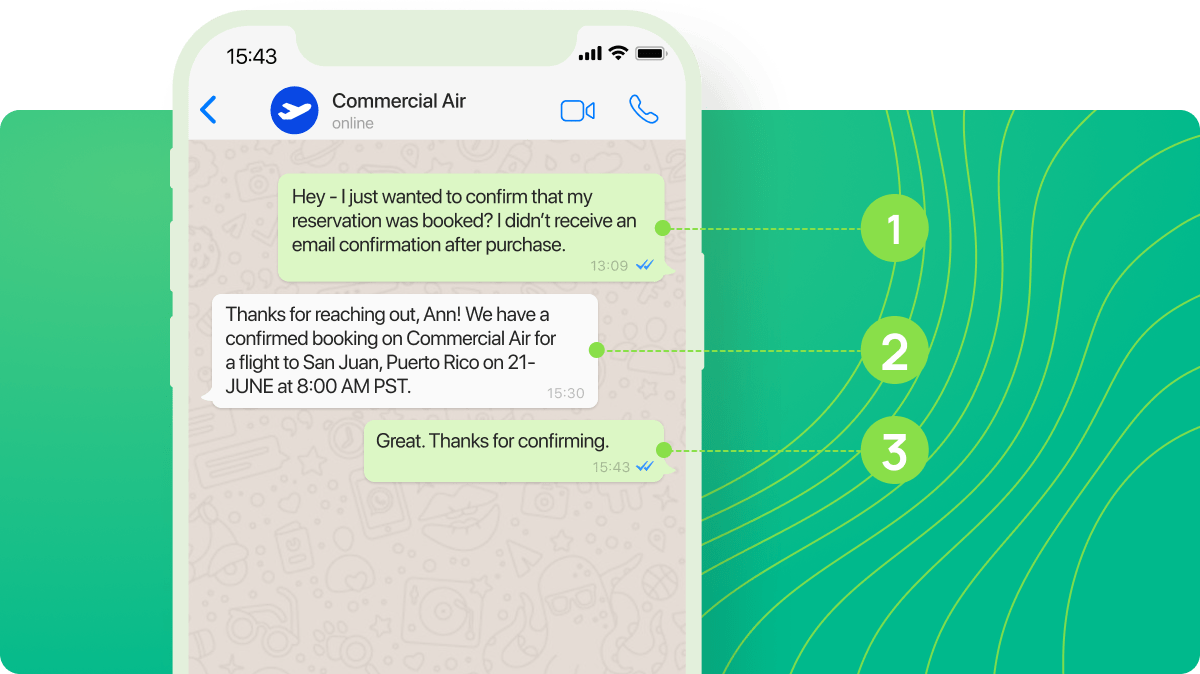
Within this window, all follow-up service messages and Utility messages are free. This encourages Commercial Air to respond quickly and resolve all issues within open support window.
If Commercial Air continues messaging Anna after the support window expires, they’ll need to send a paid template message.
In this scenario, Anna received the information she needed, and Commercial Air was able to reply for free.
Scenario #2. A business sends a template message with no reply from a user.
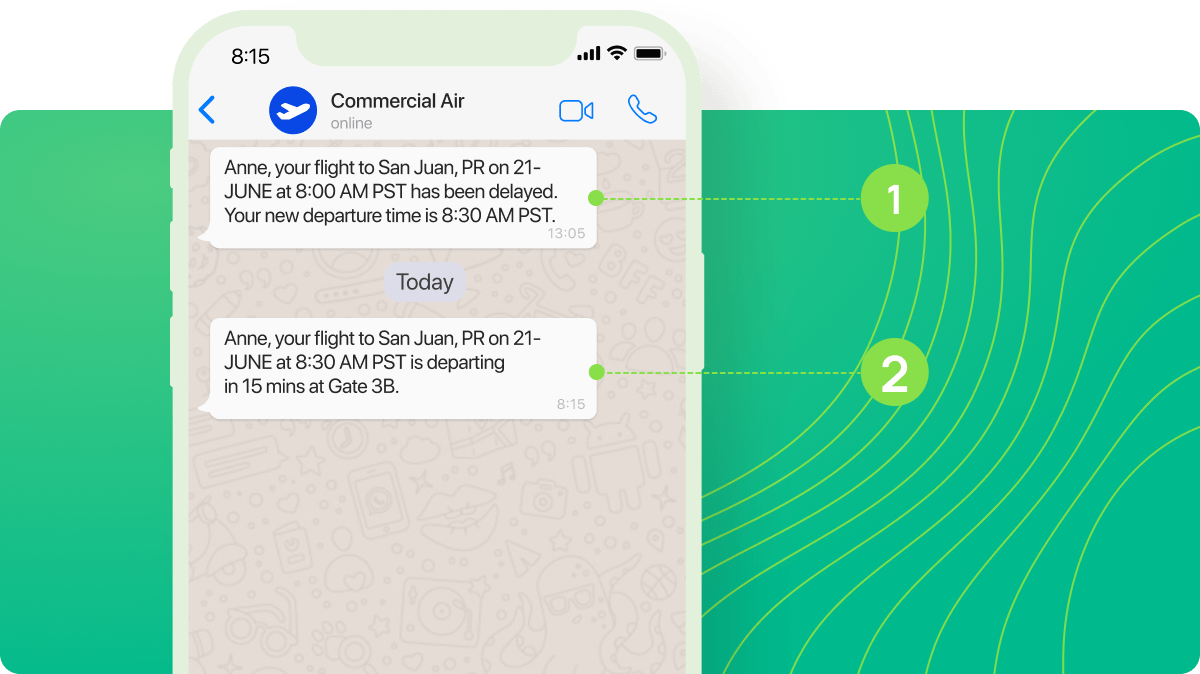
When the flight status changes or the flight gets canceled altogether, Commercial Air will notify its customers by sending template messages.
The first message (1) informs Anne that her flight has been delayed by half an hour.
The second message (2) reminds her that her flight is departing in 15 minutes.
In this scenario, both messages fall under the Utility category, so charges apply based on the Utility rates and the recipient’s country.
Scenario #3. A business sends a template message, and receives a reply from a user.
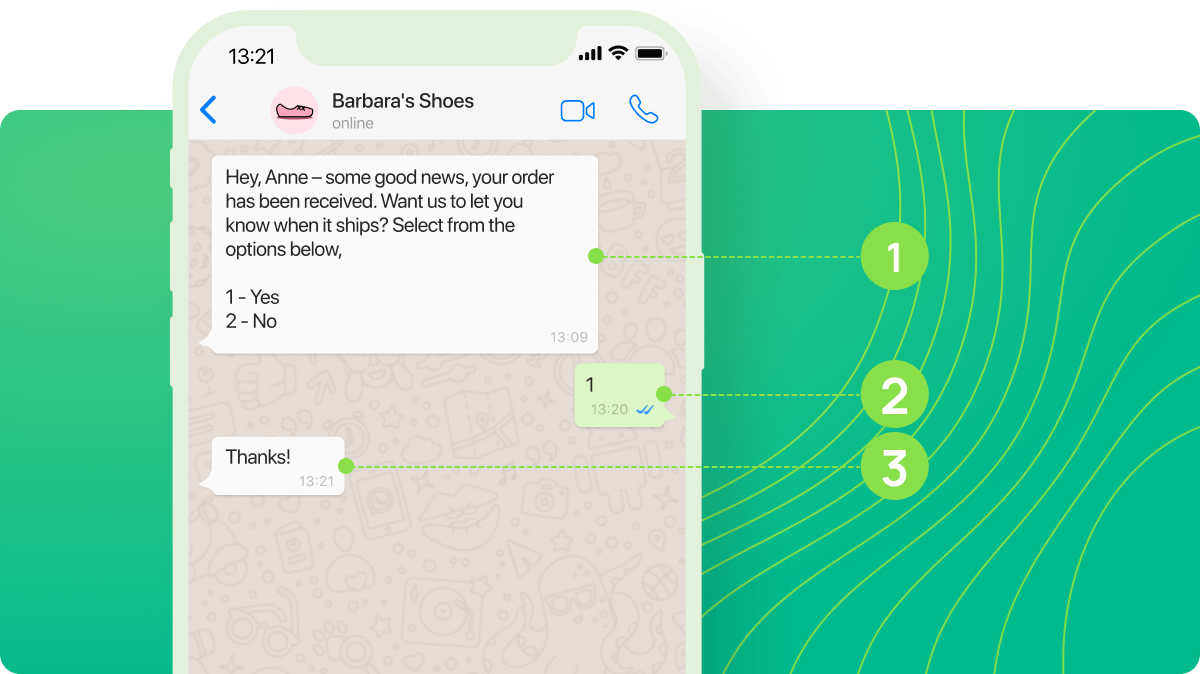
When a customer orders something from Barbara’s store, the company sends a confirmation message (1), letting them know that their order has been received, and asks if the customer wants to get a delivery notification.
The customer agrees to receive a delivery notification (2), which opens 24-hour customer service window, and the company messages some additional information (3).
In this scenario, first messages fall under the Utility category, so charges apply based on the Utility rates and the recipient’s country, and sending the second message is free.
Changes starting October 1, 2026
Starting October 1, 2026, WhatsApp changes how messages sent within the 24-hour customer service window are charged. The free message category within the customer service window will be removed, and messages that were previously free will become billable.
- Every non-template (service) message you send in reply to a user is charged. Each message is billed separately, with no link to sessions or conversations.
- Service messages are charged at the same rates as Utility messages, based on the recipient’s country.
- Template messages in the Utility category sent within the customer service window are also charged.
Messages that a user sends to you remain free, and the 72-hour free entry-point window is not affected.
Learn more: Pricing updates for service and utility messages.
To keep your messaging costs under control after the change, follow these recommendations:
- Use the 72-hour free entry-point window. When a user starts a chat from a click-to-WhatsApp ad, a 72-hour free window starts. During this time, every message you deliver, both template and non-template, is free. This window is not affected by the change.
- Use the entry point from a Facebook Page. When a user reaches you through a call-to-action button on a Facebook Page from the Android or iOS app, the same 72-hour free window applies. It doesn't work on desktop or web.
- Review your existing flows. Check if they send multiple messages in a row without any action from the user. Send messages only when needed and only in response to a button click or another user action.
- Whenever possible, combine multiple messages into one to minimize billable messages.
 Last Updated: 12.06.2024





or